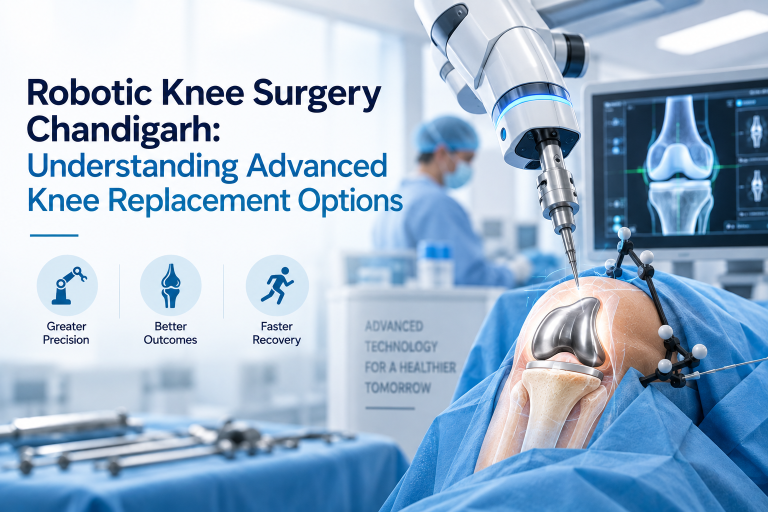
RoboLens FT3D is a robotic surgical system that maps your knee in real time — during the operation — to guide bone removal and implant placement with sub-millimetre accuracy. It does not require a pre-operative CT scan. It does not require weeks of pre-surgical planning. The 3D map is built on the operating table, from the knee itself, as the procedure begins.
This article explains what the system is, how it works step by step, what it can and cannot treat, and who the right patients are for this procedure.
What Is RoboLens FT3D?
RoboLens is a robotic surgical platform developed for orthopaedic knee and hip procedures. FT3D refers to the third-generation iteration of the RoboLens system — the generation that achieved full intraoperative three-dimensional mapping without any pre-operative CT imaging.
The name breaks down as:
- FT — Functional Tissue: the system captures how tissue actually behaves under surgical conditions, not how it appeared in a pre-operative scan
- 3D — Three-Dimensional: the intraoperative map is a complete three-dimensional model of the knee joint geometry
Dr TS Gill at Max Super Speciality Hospital, Mohali is the only surgeon in North India performing knee resurfacing with the FT3D generation of this system. He was involved in the clinical development of the technique.
The Problem FT3D Was Built to Solve
Before FT3D, robotic knee surgery worked like this: the patient gets a CT scan weeks before surgery, the scan data is used to build a 3D model of the knee, and on the day of surgery the robot uses that pre-built model as its reference.
The limitation: the CT scan captures one moment in the life of the joint. By the time the patient is on the operating table — lying flat, under general anaesthesia, with muscles fully relaxed — the knee has changed. Soft tissue tension is different. The joint position is different. The static CT model no longer reflects the actual state of the knee being operated on.
FT3D solved this by moving the mapping step inside the operating room, where it can capture the knee exactly as it exists under surgical conditions.
How the FT3D System Works — Step by Step
Step 1: Positioning and Preparation
The patient is positioned on the operating table as normal. The knee is exposed through a standard surgical approach. There is no difference from conventional knee surgery at this stage.
Step 2: Bone Tracking Sensors
Small positional tracking pins are placed in the femur (thigh bone) and tibia (shin bone). These are temporary and do not affect the procedure or recovery. They allow the FT3D system to track the exact position and orientation of each bone in real time throughout the procedure.
Step 3: Intraoperative Surface Registration
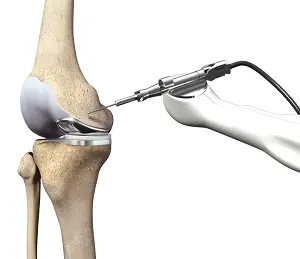
The surgeon uses a calibrated probe to touch specific anatomical landmarks on the bone surfaces. This process, called surface registration, takes approximately 5 to 8 minutes. As the probe touches each landmark, the system records the precise three-dimensional coordinates of that point relative to the tracking sensors.
Step 4: 3D Model Generation
From the surface registration readings and real-time tracking data, the FT3D software builds a complete three-dimensional model of the patient’s knee — created at that moment, on the operating table, under actual surgical conditions. This model includes bone geometry, joint mechanics, and soft tissue tension data.
Step 5: Surgical Planning on Screen
The surgeon uses the intraoperative 3D model to plan the resurfacing on screen in real time. The position, size, and orientation of the implant are determined based on the patient’s actual anatomy as mapped by the system. Adjustments can be made directly — the plan is not locked in from a pre-operative session.
Step 6: Robotic Bone Preparation
The robotic system guides the bone cutting and preparation steps to sub-millimetre accuracy, following the surgical plan established from the intraoperative model. The damaged portion of the compartment is precisely removed, and the implant is seated according to the plan.
Step 7: Implant Placement and Closure
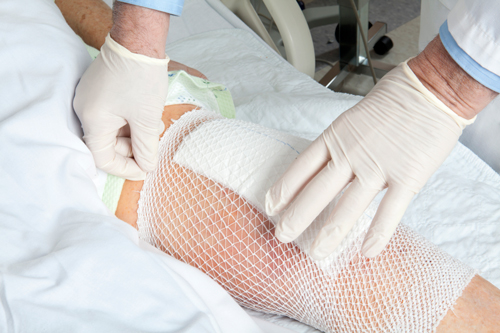
The implant is placed, the knee is tested through range of motion, and the wound is closed. The procedure is complete. Recovery begins.
What Conditions Does FT3D Treat?
FT3D knee resurfacing treats knee arthritis that is limited to one or two of the three compartments of the knee joint:
- Medial compartment osteoarthritis — arthritis on the inner side of the knee (most common)
- Lateral compartment osteoarthritis — arthritis on the outer side
- Patellofemoral arthritis — arthritis between the kneecap and thigh bone
- Bicompartmental arthritis — two compartments affected, one healthy
For patients in any of these categories, FT3D resurfacing can address the damaged compartment while leaving the healthy portions of the knee completely untouched.
FT3D is generally not the appropriate choice when arthritis has destroyed all three compartments — in those cases, total knee replacement is the indicated treatment.
Who Is the Right Patient for FT3D?
The ideal FT3D candidate has:
- Knee arthritis confirmed on X-ray, limited to one or two compartments
- Knee pain that significantly affects daily activity and has not responded to conservative treatment
- Intact anterior cruciate ligament (ACL) — necessary for compartmental stability
- Reasonable overall bone quality
- A preference for preserving as much natural tissue as possible
Younger patients (40s, 50s, early 60s) who want to avoid total knee replacement are particularly well-suited. FT3D resurfacing allows them to address the current arthritis while keeping their options open for future treatment if needed.
Recovery After FT3D Resurfacing
Because FT3D is a partial resurfacing procedure rather than a full joint replacement, recovery is typically faster:
- Most patients are walking with assistance on the day of or day after surgery
- Hospital stay is typically 2 to 3 days
- Return to daily activities in 4 to 6 weeks for most patients
- Full recovery and return to active life in 3 to 4 months
The smaller scope of the procedure means less disruption to surrounding muscle and tissue, which directly accelerates the recovery timeline compared to total replacement.
Get an Assessment
The only way to know whether FT3D resurfacing is right for your knee is a clinical assessment. Dr TS Gill can evaluate your X-rays and examine your knee at a single consultation appointment in Chandigarh. No prior CT scan or referral is required.
→ Full guide to RoboLens FT3D Knee Resurfacing
→ Book a Consultation
Frequently Asked Questions
What is RoboLens FT3D used for?
RoboLens FT3D is used for compartment-specific knee resurfacing — removing and replacing only the damaged portion of a knee joint affected by arthritis, while preserving the healthy compartments.
Is FT3D the same as partial knee replacement?
They are related but not identical. Partial knee replacement typically refers to unicompartmental replacement with conventional instruments. FT3D knee resurfacing is a robotic-assisted compartmental procedure that uses real-time 3D mapping for greater precision, more bone preservation, and better implant positioning than conventional partial replacement.
How long does FT3D knee surgery take?
The procedure typically takes 60 to 90 minutes, including the intraoperative mapping step. This is comparable to conventional partial knee procedures.
What is the success rate of FT3D knee resurfacing?
Clinical outcomes for FT3D resurfacing are excellent for appropriately selected patients. The key determinant of success is correct patient selection — ensuring that the arthritis pattern is suitable for compartmental resurfacing rather than total replacement. Dr TS Gill’s assessment process is specifically designed to identify candidates where FT3D will deliver the best long-term result.